Dive Computer Essentials: Read and Trust Your Wrist
14 เมษายน 2569
Learn how dive computers track nitrogen, calculate no-deco limits, and keep you safe underwater. A practical guide to reading displays and choosing the right model.
Why every diver should own a personal dive computer
A dive computer tracks the nitrogen loading in your body tissues in real time throughout a dive, which is fundamentally different from how traditional dive tables work. Tables calculate from a single maximum depth, as if you were sitting on the bottom the whole dive, but a computer calculates from the actual depth profile that changes every second. This yields longer and safer bottom times, especially on multi-level dives where you move between depths — imagine descending to 30 metres to inspect a wreck, then ascending to 15 metres to cruise a reef. Tables would still treat you as being at 30 metres the entire dive, but a computer credits you for the shallower minutes, giving you significantly more no-decompression time.
Every diver absorbs and off-gasses nitrogen at a different rate depending on body weight, age, hydration, body fat percentage and overall fitness. Sharing a computer with someone else means the device is tracking their profile, not yours, and the NDL on the screen may have nothing to do with what is actually happening in your body. If your buddy spends three minutes at 30 metres and you spend five, their computer has no idea. Owning your own dive computer is one of the best safety investments you will ever make among all the equipment you buy, and most instructors would put it ahead of a personal regulator or BCD for that reason.
How a dive computer calculates safety
Most dive computers use the Bühlmann ZHL-16C algorithm as their basis. It models the body as sixteen theoretical tissue compartments with half-times ranging from four minutes for fast tissues such as blood and highly vascularised muscle, up to more than six hundred minutes for slow tissues such as bone, cartilage and fat. Each compartment absorbs and releases nitrogen at its own rate, and the computer tracks the saturation level of every compartment simultaneously every second. The NDL shown on the screen is always driven by whichever compartment is currently closest to its ceiling, which is called the leading compartment and changes dynamically during the dive.
Other common algorithms include DSAT (Diving Science and Technology, used in several Suunto and Aqualung models), which tends to be slightly more permissive and gives a little more NDL, and RGBM (Reduced Gradient Bubble Model), which accounts for microbubbles and is therefore more conservative, particularly on repetitive and deep dives. Most modern computers expose conservatism settings that let you reduce NDL to add margin against the theoretical limits. If you carry risk factors — older age, excess weight, fatigue, dehydration, or cold water — it is wise to dial conservatism up above the factory default rather than relying on the most aggressive profile.
Reading the screen: what every number means
The primary display on any dive computer contains a handful of critical numbers. Current depth is shown in metres or feet; dive time counts up from the moment you descend; and the NDL countdown is the single most important figure, telling you how many minutes you can remain at the current depth before entering a decompression obligation. That number changes continuously as depth changes — it falls rapidly the deeper you go, falls more slowly in shallower water, and can even tick back up when you stay shallow enough for your leading compartment to begin off-gassing.
The screen also shows ascent rate, usually as a bar graph or arrow indicator that warns you when you are ascending too quickly, plus water temperature so you know the environment, and battery status that must be checked before every dive. On air-integrated computers you will additionally see tank pressure in bar or psi, and remaining air time (RAT), which is calculated from your current breathing rate and the gas left in the cylinder. Air integration lets you plan the dive more precisely without reaching for a separate pressure gauge dangling from a console.
No-decompression limits: the number you must watch
The no-decompression limit is the maximum time you can spend at the current depth while still being able to ascend directly to the surface safely. Once the NDL drops to zero you enter a decompression obligation, which means you must complete mandatory decompression stops at depths the computer specifies before you can surface. Skipping those stops exposes you to a serious risk of decompression sickness. Well before NDL reaches zero the computer will warn you with both on-screen icons and, on most models, an audible alarm — that is your cue to begin your ascent.
Factors that shorten NDL include greater depth (NDL at 30 metres is dramatically shorter than at 18 metres), time accumulated at the bottom, repetitive diving over the course of a day where residual nitrogen from earlier dives has not fully off-gassed, and cold water that constricts peripheral blood vessels, reducing circulation and slowing the rate at which nitrogen leaves your tissues. Always leave yourself at least a three-to-five-minute buffer and never allow NDL to count down to zero by accident. Once you are in a decompression obligation, the dive becomes significantly more complex and the risk profile changes materially.
Ascent rate and the safety stop
A safe ascent rate sits between 9 and 18 metres per minute depending on the brand and model of your computer. Most devices sound an alarm at around 10 metres per minute. Ascending too quickly causes nitrogen bubbles in your tissues to expand faster than your lungs can off-gas them, which sharply increases the risk of decompression sickness. When the computer shows an ascent-rate arrow or sounds its alarm, slow down immediately by adding a small amount of air to the BCD to regain buoyancy control rather than continuing to kick up.
Every dive should end with a safety stop at 5 metres for 3–5 minutes, even when the computer does not require it. The safety stop is a standard recommendation from every major training agency; it gives your body an extra window to off-gas excess nitrogen before you surface, reduces the risk of DCS from the microbubbles that tend to form during the final phase of ascent, and doubles as a good opportunity to look up and confirm that the surface is clear of boats or other hazards before you break through.
Nitrox mode and gas switching
Nitrox, or enriched air, is a breathing mix with a higher oxygen fraction than standard air — typically 32–36% O2 compared with 21% in regular air. The main advantage of nitrox is significantly longer NDLs because there is less nitrogen in the mix to load into your tissues. As an example, at 18 metres standard air may give you roughly 56 minutes of NDL while nitrox 32 can extend that to around 95 minutes. The trade-off is that you must respect the PO2 limit of 1.4 bar for general diving, and 1.6 bar as an absolute maximum used only for decompression stops. Exceeding those partial pressures exposes you to oxygen toxicity, which can trigger a convulsion underwater.
Every modern dive computer supports a nitrox mode. You must set the oxygen percentage to match what you actually analysed from the cylinder before each dive, and the computer will calculate the Maximum Operating Depth automatically. Nitrox 32, for example, has an MOD of roughly 33 metres at a PO2 of 1.4 bar. The computer will alarm immediately if you descend past the safe depth for the gas you have configured. Higher-end models also support multiple gas switches within a single dive, a feature that is essential for technical divers running deco mixes and bottom mixes on the same profile.
Wrist-mount vs console-mount, and how to choose
Wrist-mounted computers are convenient to read during the dive because they sit permanently in your line of sight — a simple lift of the forearm puts the display in front of you — and many models double as everyday watches topside. Console-mounted computers attach to a high-pressure hose from the first stage of the regulator and usually come bundled with a compass and a submersible pressure gauge in a single unit. The main advantage of going with the wrist format is the option to add air integration through a wireless transmitter that clips to the tank valve, which lets you see tank pressure on the wrist without adding another hose to the kit.
Prices for dive computers range from roughly $300 to $1,500 depending on features and brand. The top names include Shearwater, hugely popular with technical divers for their bright, easy-to-read colour screens — readable even in dark water — and multi-gas support; Suunto, with a deep lineup from entry-level to advanced suitable for every level of diver; and Garmin, which blends smartwatch features with a fully capable dive computer. When choosing a model, weigh the number of gases it supports, the size and brightness of the screen, whether it supports air integration, battery life, and how easy it is to navigate the menus when you are cold and task-loaded underwater.
Caring for your dive computer
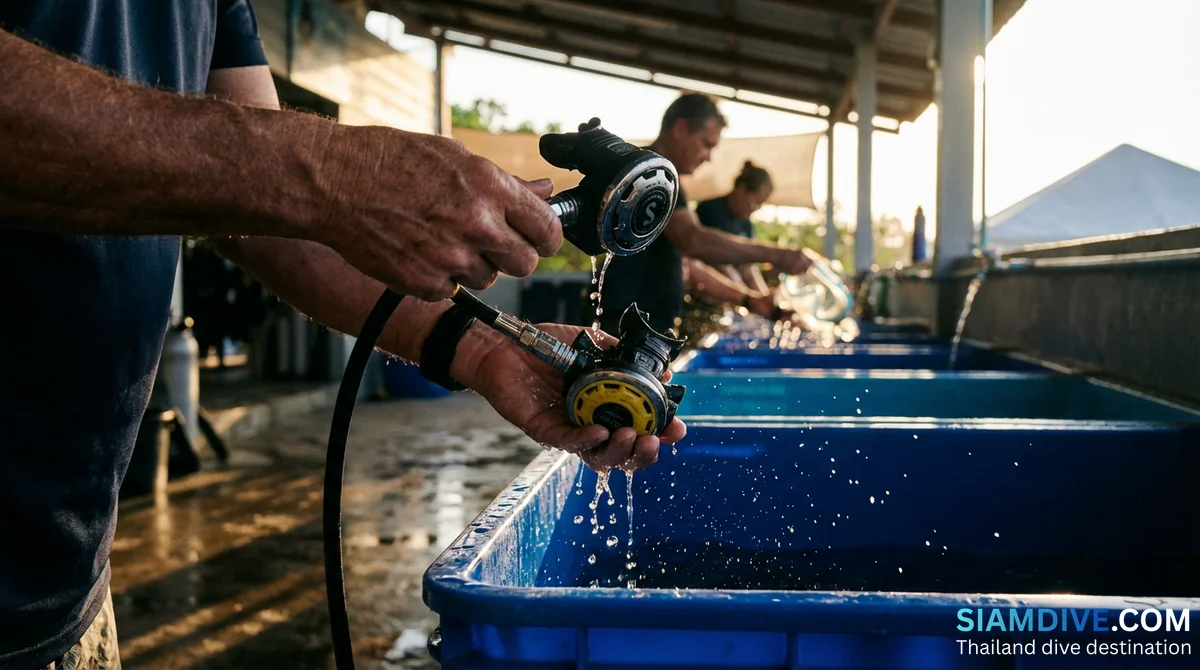
After every dive, rinse the computer thoroughly with fresh water to remove salt, sand and grit. Soak it in clean fresh water for at least 15–20 minutes and gently press the buttons a few times so water reaches every seam. Check the battery status routinely — some models take a user-changeable cell with a coin, while others must be returned to an authorised service centre. Keep firmware up to date according to the manufacturer's recommendations to pick up bug fixes and new features, and connect the computer to the manufacturer's app via Bluetooth to sync your dive log and review every profile in detail afterwards.
After diving, wait 18–24 hours before boarding a flight. The reduced cabin pressure at altitude is equivalent to being at 1,800–2,400 metres above sea level, and residual nitrogen still dissolved in your tissues can form larger bubbles when external pressure drops — potentially triggering DCS even after a dive day that felt entirely safe. For multi-day dive trips or deep diving, DAN recommends waiting the full 24 hours. Always log every dive through the app; the history is invaluable for refining your skills, spotting trends in your own physiology, and planning future trips. For more on diving equipment, dive courses and dive trips in Thailand, visit siamdive.com.